
Color tinting in Photoshop Tutorial
Basic Color tinting in Photoshop
This is a basic Photoshop tutorial on color tinting. For a more up to date and in depth look, check out the color grading in Lightroom and Photoshop tutorial
Step 1
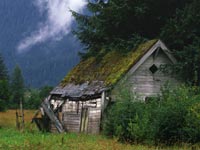
Start with your image in RGB mode
Step 2
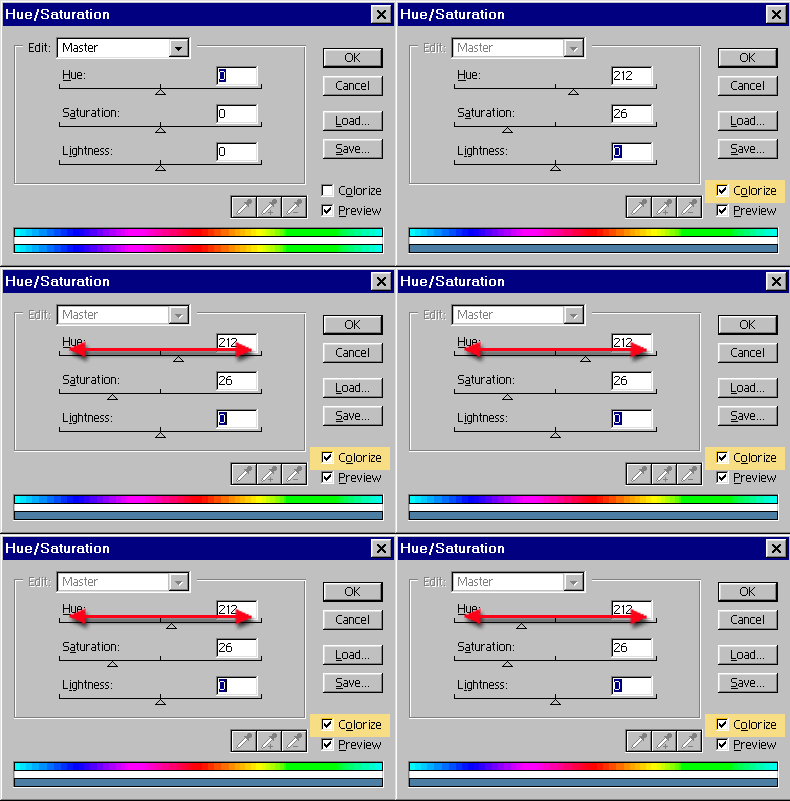
Open the Hue/Saturation box Ctrl/Cmd+U
Click the colorize box.
Step 3
Slide the hue slider to change the color hue. That simple!
You can adjust the Saturation if you want. To the left, less color, to the right more. Too easy!
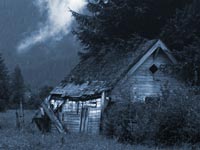
The result!
4 thoughts on “Color tinting in Photoshop Tutorial”
Leave a Reply

How to understand and create shadows in Photoshop tutorial. The 4 things you need to know about light to create...

One of the most popular features here at photoshopcafe is the “Super Tutorials”.In Super Tutorial #3 This will be a...
Seems like I have had so many people ask how to do a dotted line in Photoshop, so here is...










That was so easy
what mode must you be in to colorize an image?
RGB or CMYK
I have been looking everywhere for tutorials on tinting my image, and so many weren’t what I needed, or were needlessly complicated.. And then I find this and my mind is blown. It’s so easy! THANK YOU!!!