
Video in Photoshop (a photographer & designer’s guide)
Video in Photoshop (a photographer & designer’s guide)
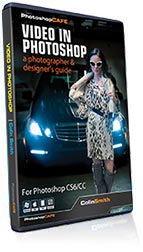
Learn how to edit video in Photoshop, make slideshows, timelapse and more.
This 3 hour crash course will teach you exactly what you need to know.
With Photoshop CS6 & CC (completely works in CC 2019), Adobe has completely reworked the video features so that photographers and deigners have a way of editing footage captured on their cameras, iPhones, DSLRs etc. This opens up a world of possibilities!
Photoshop master, Colin Smith (Author Video in Photoshop: Peachpit Press) wanted to help photographers & designers sort through all the information and misinformation and jump into video as quickly as possible without fuss. Using plain speak and no video jargon, he gets down to the practical nuts and bolts of editing video, combining clips, adding music and motion graphics all with effortless ease. Then he shows you how to create rich, multimedia slideshows that combine photographs, video, titles and music all with laugable ease. You can use the program that you know and love to create and distribute pro-quality video!
Colin Smith has just finished presenting Video editing workflow to Photographs at all the major locations in the past year: WPPI, Imaging USA, PPE, Photoshop World, creativeLIVE, PSPF and PMA. He has tested this training on thousands of Photographers and it works! Learn exactly what you need to know to create compelling videos with your DSLR camera and edit a professional looking video and slideshow all within the program you already know and love; Photoshop. You want a painless crash-course? Here it is!
This downloadable course contains 3 hours of crisp video! All the lesson files are included, so you can follow along at your own pace! If you are a photographer or designer, learning video isn’t an option, it’e essential for your future.
This video makes it so easy, that anyone can edit video and create animated slideshows!
Description
Introduction and Workspace
Colin gives an overview of video in Photoshop.
Gear
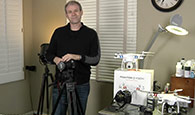
Key strategies to saving files and making copies to preserve long-term editability.
Camera Settings
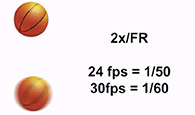
The best settings on your camera to capture the highest quality video. Recommended shutter speeds, frame rates, etc.
Basic Aspect Ratio and Resolution
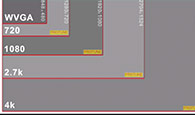
Understand the different sizes and screen shapes used in video.
Video Import and Workspace
How to bring video into Photoshop without having to know anything technical. A basic overview of Photoshop’s timeline.
Working with Multiple Clips
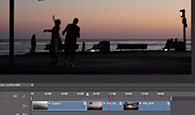
Combining video clips together and moving them around on the timeline.
Trim and Edit
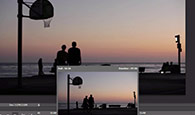
Cutting the video clips down to useful content.
Working with Transitions
Making the clips seamlessly fit together. Nice cross dissolves and more.

Stacking Clips and Blend Modes
Making multiple layers of video and using Photoshop blending modes for videos.

Slow Motion
Changing the speed of the video. Slowing it down for emotion, or speeding it up.

Adjustment Layers
Using the different adjustment layers to change the color and tonality of the video.
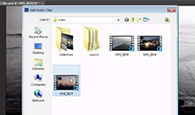
Sound and Music
Adding a music soundtrack. How to separate the sound from the video.

Motion Graphics and Titles
Creating professional looking lower third motion graphics.
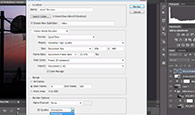
Rendering and Encoding Video
Non-technical guide to preparing the edited video for playback on computers, mobile devices and web
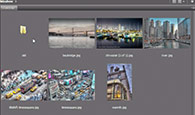
Mini Bridge
How to set up favorites and more in Mini Bridge.
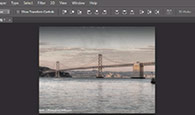
Slideshow
Create a basic photo slideshow in Photoshop in just a few clicks.

Motion in Slideshows
Adding motion to the photos in a slideshow to add engagement. Creating the popular “Ken Burns” effect.

Custom Motion in Slideshows
Modifying the motion presets to make them work exactly how you want them to.
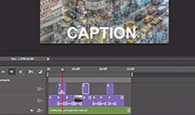
Slideshow Music and Video
Mixing Video and photos together in a slideshow. Add music and captions.

Camera Raw for Video
Using Camera Raw adjustments to make your videos clips look amazing.
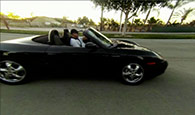
Fixing Lens Distortion
Removing distortion from GoPro and wide angle lenses two different ways

Timelapse
Create a Time-lapse video in Photoshop with effortless ease.
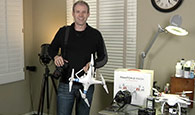
Goodbye
Colin signs out and gives you resources for further learning.

Get this video onto an iPad
Moving this video onto a mobile device.
Original price was: $49.99.$24.99Current price is: $24.99.






Reviews
There are no reviews yet.