
Photoshop & Flash INTEGRATION
Photoshop & Flash INTEGRATION
Build stunning websites with Photoshop and Flash CS4/CC
Even if you have no prior experience, this video will teach you what you need to know to create web sites that will blow the competition out of the water. This 6 1/2 hour DVD ROM shows you how to plan, design and launch your website. Combining popular web design tools, Adobe Photoshop and Flash, you’ll learn the workflow that the pros use. In a simple step-by-step, plain English approach, Colin will show you exactly what you need to know. This one-of-a-kind guide will show you how to create visually appealing and technically effective professional web sites. You’ll add an image gallery, formated text, feedback form, video and animation.
This fast loading DVD ROM contains 6.5 hours of sharp wide-screen video. The advanced interface allows the user to instantly jump to any of the 47 lessons with complete control over the playback. All the lesson files are included, so you can follow along at your own pace!
If you’ve ever dreamed of creating a website that looks great, is functional and is easily updated, this is the video for you!Build a stunning portfolio site!
STEP BY STEP WALKTHROUGH :: ALL FILES INCLUDED
Flash Basics
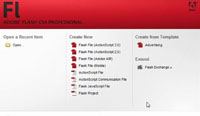
Splash page
The splash page in Flash. Choosing the documents and getting started.
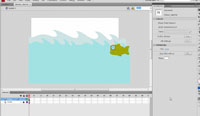
User Interface
Tour of the interface in Flash CS4. Learn the new layout and how to make it look like earlier versions of Flash. Create workspaces.

Symbols explained
Building blocks in Flash are symbols. Learn what they are, how to work with them and understand the 3 types of symbols.
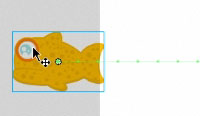
Basic motion
What is motion? Tweens explained as well as traditional tweens and the new CS4 tweens.
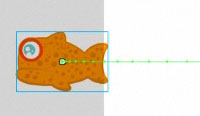
Easing motion
Changing the velocity of motion. Easing adds realism to movement by using acceleration and decceleration.
Nested movieclips
Movie clips within movie clips. Essential for any complex or logical animation. All explained in the tutorial.
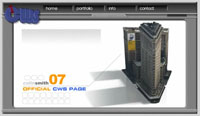
Flash sniffer
When you publish your site, you can have Flash check for the latest version of the player. It can download and install on the users computer automatically. All without a piece of code written by you.
DESIGN IN PHOTOSHOP

Photoshop Design 1
Lay out the basic webpage. Learn about documents, importing photos and alignment and distribution.
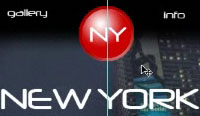
Logo In Photoshop
Design a basic logo. Special Skill: Free transform
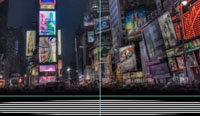
Final Touches
Add some design elements to make the page look better. Special skill: Repeating patterns.
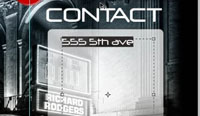
Contact page
Design the contact page. Special Skill: Creating a box with rounded corners and fades to transparent.
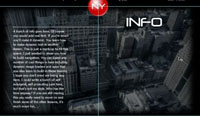
Info Page
Design the info page. Special skill: Create a dimmed wash effect on the photo. Paragraph text
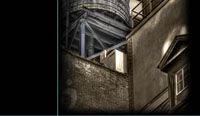
Gallery page
Design the gallery page. Special skill: Vignette borders on the photo with masks. Duplicating thumbnails.
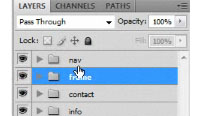
Prep for export
Walk through and clean up of the project. Inspect the layers and strategize.
Organizing in Flash
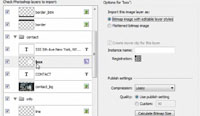
Import PSD
Using the PSD importer. Understand how Flash imports and set it up for maximum flexibility. Bring all the assets into Flash.
Flash Navigation structure and setup.
Go over the project in Flash. Set up the navigation framework. Redo the logo.
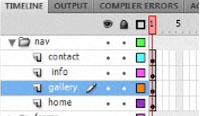
Site Overview
Sort through the layers and begin to organize them into pages.
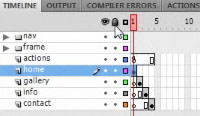
Site Setup
Organize the layers. Group into key frames and set up the page structure. Set up a clean and efficient timeline. Linear navigation.
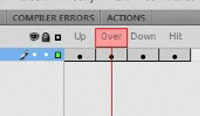
Buttons
Set up the buttons. Create different states for the buttons. Make basic roll over effects.
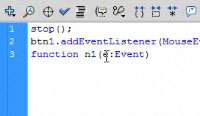
Buttons ActionScript
Create the Actions to control the page navigation. Click the buttons to change pages on the site.
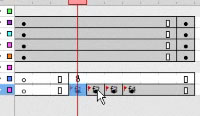
Frame Labels
Learn a more flexible way of navigating the timeline with frame labels.

Animated Page Fades
Create a fade in from Black transition effect for each page.
Image Gallery
Gallery 1 – Setup
Import and design the gallery. Optimize images.
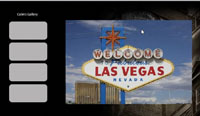
Gallery 2 – Load Photos
Create action script to load images dynamically. Loading images from your computer/website.
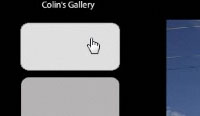
Gallery 3 – Captions
Adding captions with dynamic text.
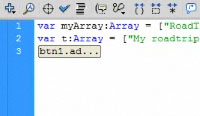
Gallery 4 – Arrays
Create an array to make it easier to update the site easily.
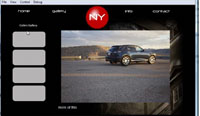
Integrate Gallery 1
Take the gallery page and place it inside the site we are building.
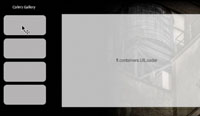
Integrate Gallery 2
Word of warning about external images, and the advantages of using dynamic image loading

Info page: Dynamic Text
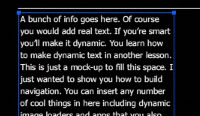
Dynamic Text
Basic dynamic text with actionScript. It’s easier than you think
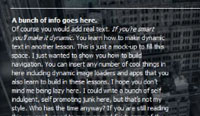
Markup text formats
Using basic markup to add line breaks, bold and italic formatting.
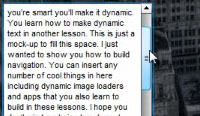
Scrolling text
Add a scroller for large bodies of text. Use the component and it’s easy!
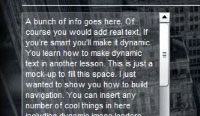
Scrolling text style sheet
Create a style sheet to control the text component. Also learn to modify the skin on the component.
Contact page: Forms
Invisible button
Use the invisible button trick to create hotspots that turn anything into a button.
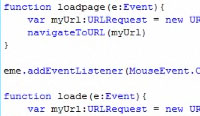
Email links and hyperlinks
Add hyperlinks in Flash that allow you to go to any web page. Also learn how to make a simple link that launches an email program, inserts your email address and subject line.

Creating a form
Use Components to create a form in Flash.

Scripting the form
Cut and paste the supplied ActionScript to finish setting up the form. All the code is explained as well as letting you know exactly what needs to be change to fully customize the form.

Test for PHP
Upload the supplied script to test your server for PHP. Don’t worry, this takes about 10 seconds
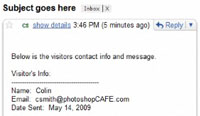
Finish contact form
Find out how to modify the supplied PHP script to send you the emails. Upload and test the form.
Home page: Finishing touches
Home page: Finishing touches

Photoshop Video
Bring video into Photoshop. Stylize the video, distort it and prepare it for export to Flash.

Export Video from Photoshop
Export the cropped video from Photoshop. See how to encode into a format Flash can use.

Converting video to FLV
Use Adobe Media Encoder that comes with Flash to convert anything to an FLV.
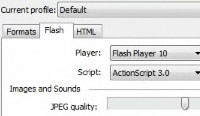
Integrate video in Flash
Bring video into Flash. Learn how to add to the time line as well as link to external video clips.

Animate the Navigation
Create an animated Page build to polish the load up of the site.
Original price was: $49.99.$9.99Current price is: $9.99.




Reviews
There are no reviews yet.